
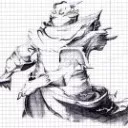
Retribution Badge

  • Hier mal die Anfrage ob einer der (fast) allmächtigen Bildbearbeiter mir weiterhelfen könnt.
    Für DoW I hatte ich ein schönes Wappen, allerdings im .tga Format. Jetzt bekomm ich allerdings es nicht hin den Hintergrund dieses Bildes so zu gestallten dass das neue .pnp Bildchen im Spiel selber keinen Hintergrund hat. Heißt es zeigt bei mir immer einen schwarzen/weißen Hintergrund an und der soll weg.

    Und da ich mit meinem (begrenzten) Latein am Ende bin, schicke ich mal diesen Hilferuf ab.

    Das besagte Bild ist in der Größe von DoW I angefügt, sollte aber im Spiel keine Probleme machen, nur der Hintergrund ist das Problem.

  • Quote

    We support PNG and DDS formats, 128*128, 56kB maximum. Transparency is supported in both formats. Incorrect formats will not be loaded into the army painter.

    For those not familiar with those image formats, PNG is the easiest format to find tools for. Adobe Photoshop can generate PNG's, and GIMP is a free alternative.

    To add your custom badges, add them to the \Documents\My Games\Dawn of War II - Retribution Beta\Badges\ folder (exact path name will vary based on your operating system.)

    Alles beachtet? Das Bild sollte auf jeden Fall 128x128 groß sein, im Armypainter werden png`s mit einem Hintergrund versehen warum auch immer. Vielleicht bekommen sie das noch gebacken, auf den Typen selbst sollte es ohne zu sehen sein.

Participate now!

Don’t have an account yet? Register yourself now and be a part of our community!